
Ember Oak | Modern Restaurant Operations, Table Reservation & Ordering System
A polished restaurant management demo that brings online ordering, table reservations, menu management, and day-to-day admin tasks into one modern experience. Built to demonstrate an advanced restaurant UI and a complete customer-to-admin workflow.
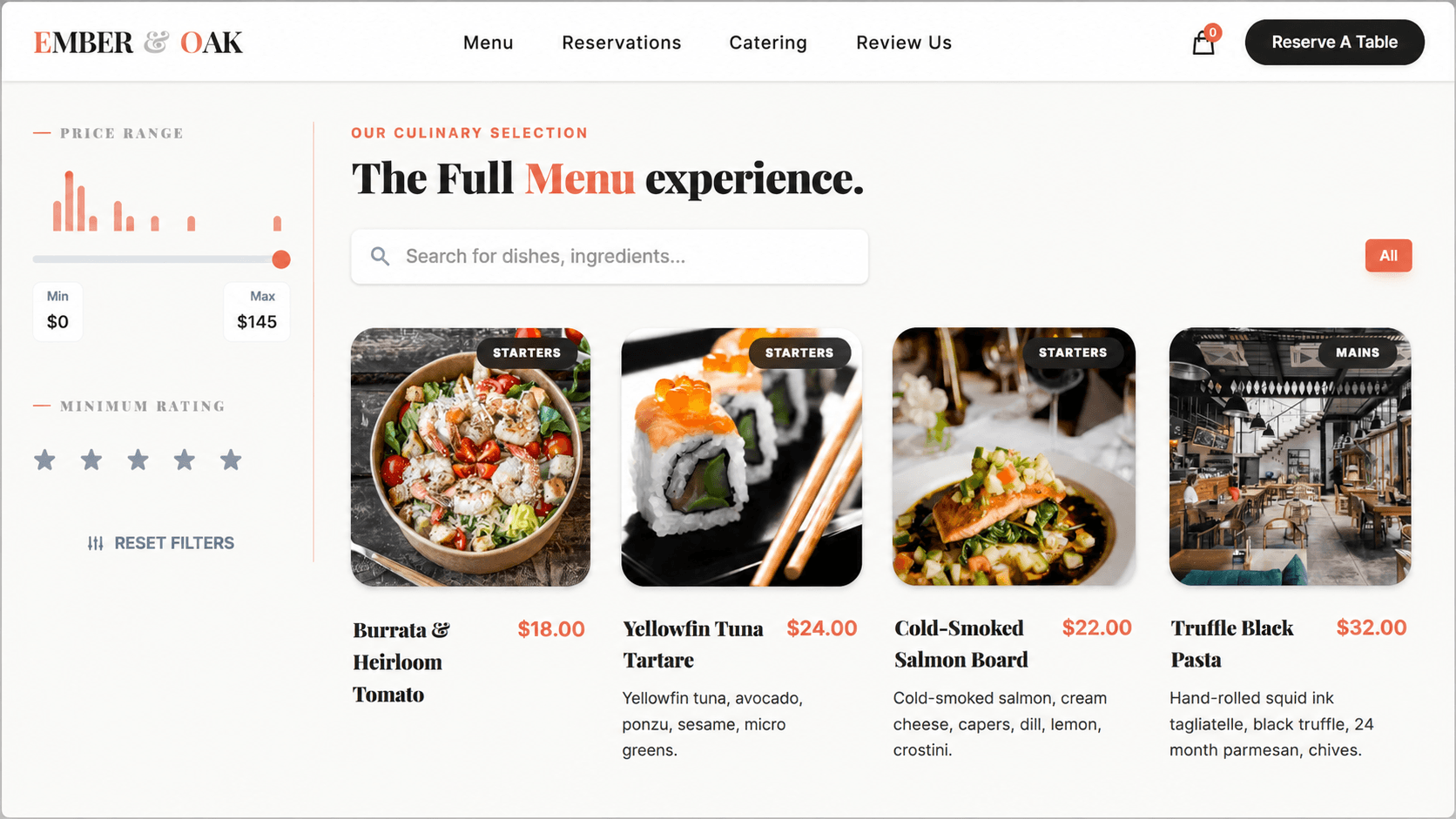
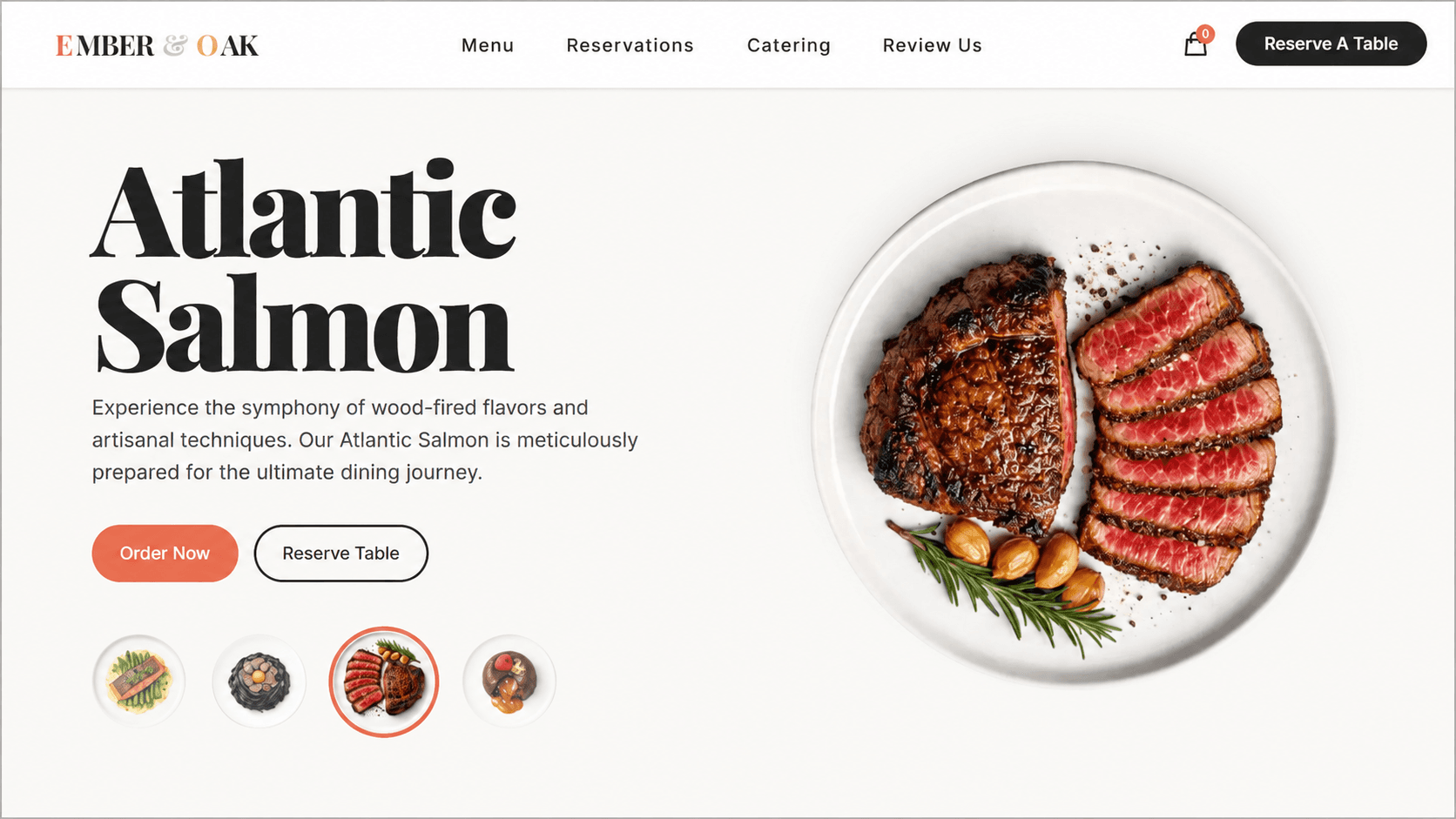
Ember Oak is a restaurant management demo created to explore how a modern dining business could manage its public website and operational tasks from one connected system
Customers can browse the menu , place dine-in or delivery orders, pay through Stripe , and reserve a table through a dedicated booking experience.
Behind the scenes, admin pages bring reservations , incoming orders , and menu products together. The project is primarily a demonstration rather than a production restaurant platform, with particular focus on advanced UI , animation, and clear management workflows.
Technology Stack
Ember Oak is built with Next.js for the customer and admin experiences, MongoDB for restaurant data, and Stripe for checkout and payment flows.
Key Features
The core capabilities that shape this project's experience and workflow.
Modern, responsive restaurant homepage with polished animations and clear access to every customer service
Full menu browsing experience with organized products and categories
Cart system for adding items, changing quantities, reviewing selections, and placing orders
Support for both dine-in and delivery ordering workflows
Stripe-integrated checkout and payment flow
Detailed table reservation form for collecting complete booking information
Event catering enquiry form for customer requirements and event details
Customer review form with feedback delivered directly to the admin area
Admin overview for monitoring and managing restaurant activity from one place
Order management page for reviewing and managing incoming customer orders
Reservation management page for viewing booking details and reserved time slots
User management page for administering customer accounts
Menu management with forms for adding and updating products
Category management for organizing the restaurant menu
Feedback management for reviewing customer-submitted ratings and comments
Restaurant settings management through dedicated admin controls
User Interface Showcase
A selection of key interfaces from the project, showcasing core user workflows, essential features, and responsive design.
Restaurant Home
A modern hero experience that introduces the restaurant through polished visuals and motion.
Menu & Ordering
Browse menu items and place an order for dine-in or delivery.
Book a Table
Choose reservation details and request a table through a focused booking flow.
Reservations Admin
Review booked tables, guest details, dates, times, and reservation status.
Orders Admin
View and manage dine-in and delivery orders from one admin page.
Add Menu Item
Create menu products and manage the information shown to customers.
Project Workflow
The restaurant homepage opens into four complete customer journeys: ordering, reservations, event catering, and reviews. Every submission flows into a central admin area where orders, bookings, users, menu content, categories, settings, and feedback can be managed.
Have something in mind?
Let’s turn your idea into something people want to use.
From the first product decision to the final interface, I can help you design and build the complete experience. Either it is website, mobile app or AI based application, I will design and build it from scratch.
Contact Me
Get in Touch
Feel Free to Reach Out
I am excited to connect! Whether you have a project idea, need assistance, or just want to chat about tech, feel free to reach out.