
Expense Tracker | React Native Personal Finance App with Multi-Wallet Support
A simple personal finance app for recording income and expenses, separating money across wallets, and understanding spending through clear weekly, monthly, and yearly statistics.

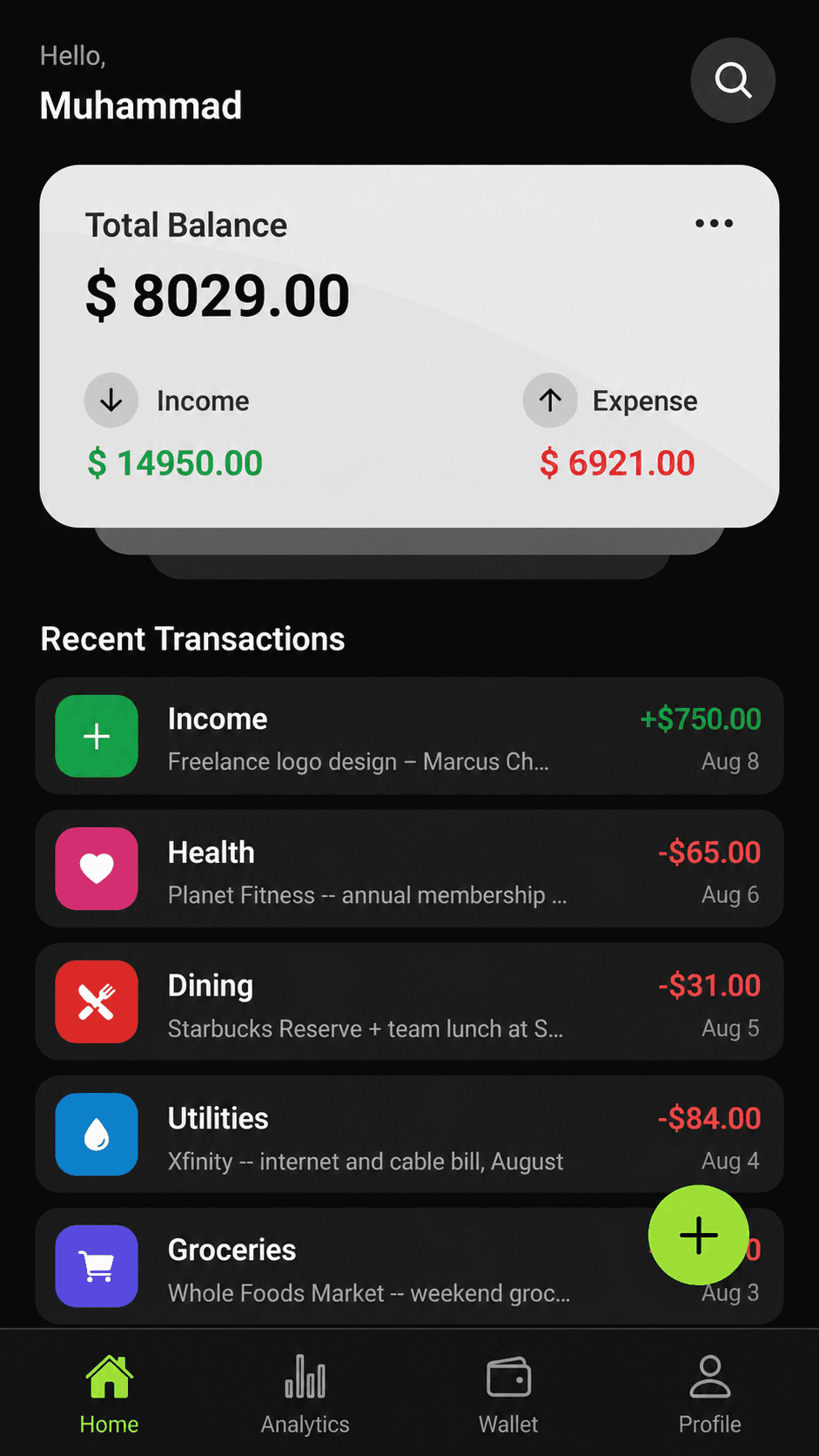
Expense Tracker is a mobile app that keeps everyday money management in one place. Users can record income and categorized expenses, attach a receipt when needed, and see their current balance and latest activity from the home screen.
The statistics area compares all transactions—income and every expense category—across weekly , monthly , and yearly views. A bar chart shows income against expenses over time, while a category pie chart explains where expense money is going.
Users can also create multiple wallets and link every transaction to the correct wallet. Profile photos, wallet images, and transaction receipts are uploaded to Cloudinary , while account and application data are handled through Firebase.
Technology Stack
The mobile app is built with React Native and Expo. Firebase handles authentication and application data, Cloudinary stores profile photos, wallet images, and transaction receipts, and React Native Gifted Charts powers the bar and pie chart visualizations.
Key Features
The core capabilities that shape this project's experience and workflow.
Welcome, sign-up, and login screens
Home summary for total balance, income, and expenses
Recent transaction list with income and expense categories
Create transactions and attach receipt images
Weekly, monthly, and yearly transaction bar charts
Expense category breakdown with a pie chart
Multiple wallets with a wallet assigned to each transaction
Profile details, profile picture, settings, and logout
Cloudinary storage for profile, wallet, and receipt images
User Interface Showcase
A selection of key interfaces from the project, showcasing core user workflows, essential features, and responsive design.
Home Summary
Balance, income, expenses, and recent transactions are visible in one glance.
Spending Statistics
Weekly, monthly, and yearly comparisons pair transaction bars with an expense-category breakdown.
Wallets
Separate balances into named wallets and connect each transaction to its source.
Profile
Manage the profile picture, display name, email, settings, privacy, and logout.
Project Workflow
After signing in, users can review their balance, add an income or expense transaction to a selected wallet, attach a receipt, and then inspect the result by time period or expense category.
Have something in mind?
Let’s turn your idea into something people want to use.
From the first product decision to the final interface, I can help you design and build the complete experience. Either it is website, mobile app or AI based application, I will design and build it from scratch.
Contact Me
Get in Touch
Feel Free to Reach Out
I am excited to connect! Whether you have a project idea, need assistance, or just want to chat about tech, feel free to reach out.